
Nobody likes asking for money. The admin puts off the call, the director doesn't want to spoil the relationship, and meanwhile the debt grows. By the end of term it is no longer about one payment but three, and that conversation is harder for everyone.
The good news: most families are not dodging, they are simply forgetting. So the fix is not strictness but order.
1. The schedule lives in the contract, not in someone's head
Fix the amounts and dates of all payments when the contract is signed. The family knows what to expect, and the school can see on any day who owes what and when. The schedule works best as an annex to a contract generated from the student record (see our article on bilingual school documents).
2. Remind before the due date, not after
The politest reminder is the one that arrives a few days before payment. It reads as care, not a complaint. A working sequence:
- 3 days before — a friendly reminder with amount and how to pay;
- on the due date — a short message;
- 3 days after — a second reminder and an alert to the admin;
- after that — a personal conversation, about one payment rather than three.
The system should send these. A person steps in only where a conversation is needed.
3. One screen for debts
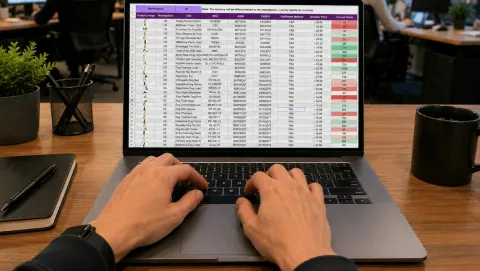
The director should see in a single number what is unpaid today and by whom. Not at month-end after reconciliation, but at any moment. If that currently means merging several files, it is one of the signs that spreadsheets are no longer coping.
4. Paying in two clicks
The harder it is to pay, the more often payment gets postponed. A payment link in the reminder or in the parent portal works better than bank details to copy into an app.
And keep an eye on invoices: from 2027 they must be issued under new rules in Spain, even when teaching is VAT-exempt. Details in our article on Verifactu.
5. Parents see their own status
In the parent portal the family sees what is paid and what is coming. "Haven't I paid already?" questions drop noticeably, and disputes are settled by payment history rather than memory.
What not to automate
A family going through something serious. If a payment is missed a second time, stop the automatic messages and call. The system is there so you find out in time, not to replace a human conversation.
How we do it. In our school system the payment schedule is generated from the contract, reminders go out by themselves and debts are visible on the director's dashboard. See it live →
Frequently asked questions
Won't parents be offended by automatic reminders?
If the reminder arrives before the due date and is friendly, most families take it as care. It gets awkward only once a debt has built up.
Can we take payments in different currencies?
Yes, for schools with students from several countries it is a standard need. The payment schedule is kept in the contract currency.
What happens to existing debts when we switch?
They are migrated with the contracts and checked once. After that each debt is visible with date and amount, so you can handle it systematically.